Features
Everything Walkable does, and nothing it doesn't
A walking companion for people who want to go for a walk — not to be measured, ranked, or asked to sign in. Here is the whole of it.
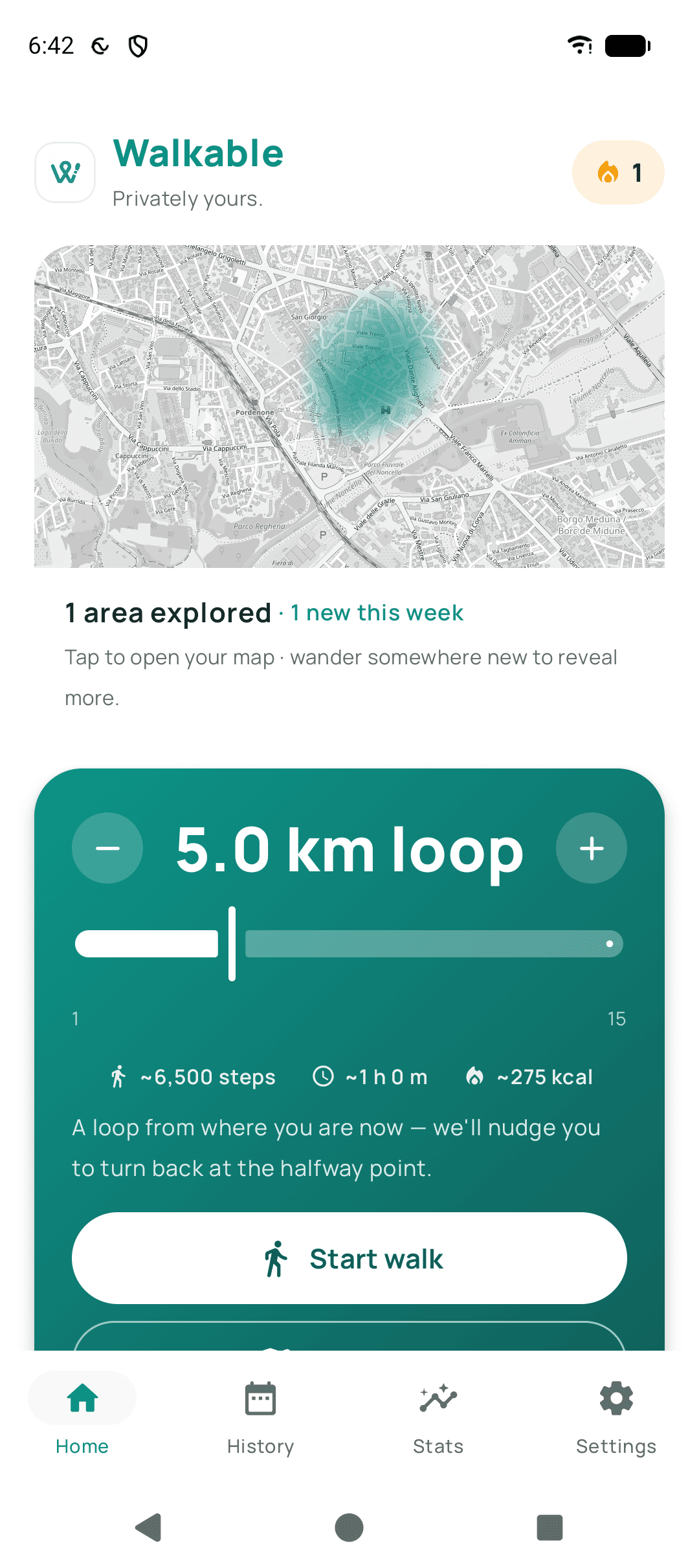
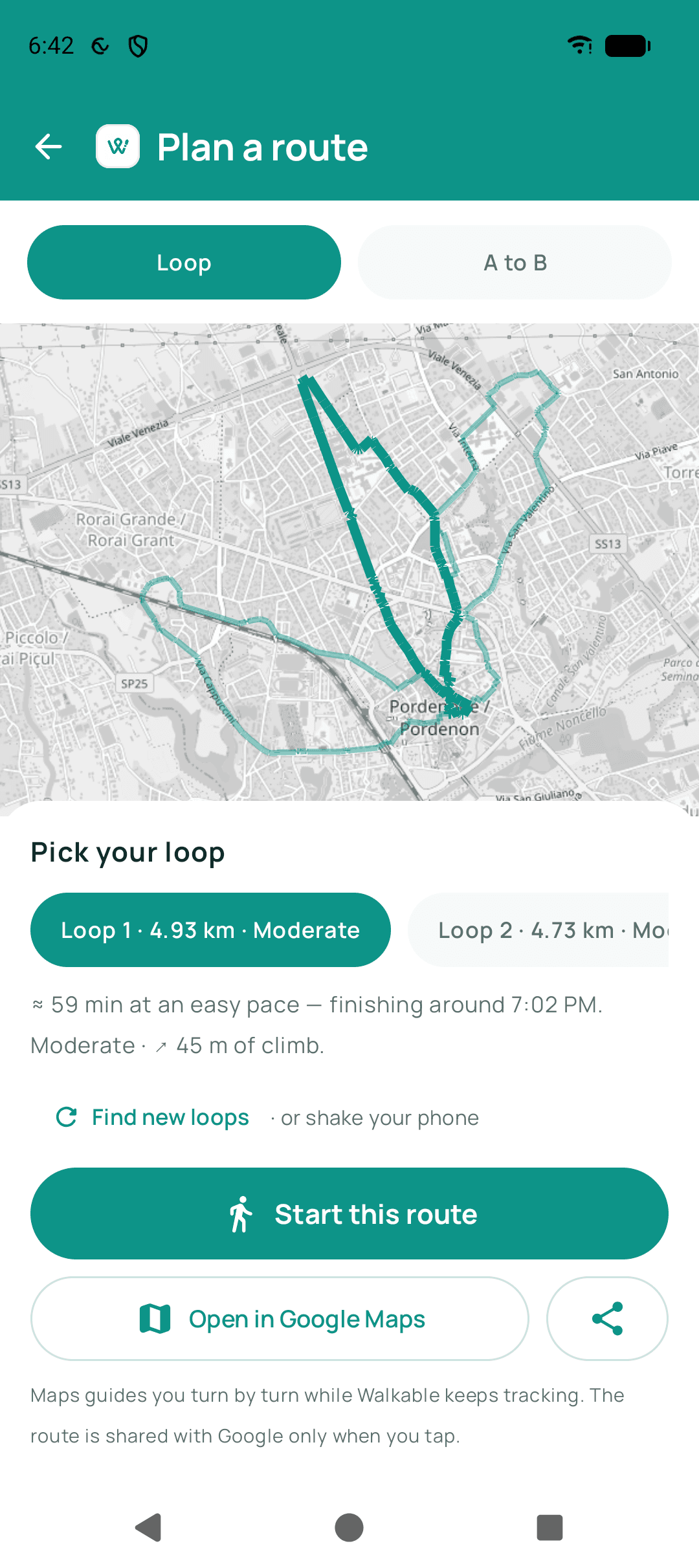
Set a distance. Walkable maps a loop from where you are.
Discover
Finding a walk worth taking
The hardest part of a walk is deciding where to go. Walkable answers that with a distance and a direction rather than a destination.
A loop from a distance
Choose how far you feel like walking — one kilometre to fifteen — and Walkable shapes a loop that starts and ends where you already are. It nudges you to turn back at the halfway point, so the distance you picked is the distance you walk.
Loops worth choosing between
Plan a route properly and you get several candidate loops rather than one verdict: each with its distance, a difficulty, the climb, and roughly what time you would finish. Shake the phone for a different set.
Somewhere to aim for
Not every walk is a loop. Set a destination and Walkable routes you there on foot instead, using walking paths rather than driving directions.
How the walk should feel
Direct, calm, scenic, flat, explorer, quiet, or surprise me. Walkable weighs the route towards the kind of walk you asked for, using what the map knows about each street.
A preference, not a promise — the map does not know everything about a street.
Never quite the same walk
Streets you have walked in the last fortnight are quietly deprioritised, so the loop from your own front door keeps changing. The area right around where you start is excluded from that signal, so home is never part of it.
The corners you would have walked past
Nothing here is a list of attractions to tick off. The route simply takes you down streets and through parks you had no particular reason to choose, and you notice what is on them.
Remember
What the walk leaves behind
A walk is worth keeping. Walkable keeps yours as something you can read back, not as data about you.
Photos, notes and voice notes
Keep a photo, a video, a written thought or a spoken one while you are walking. Each is pinned to the exact spot you kept it, and reads back as a quiet thread down the finished walk.
A walk you can replay
Watch any saved walk retrace itself at your own speed, with the things you kept surfacing as the marker reaches where you kept them. It reads your history and never touches GPS.
Every walk you have kept
A dated list you can narrow to this week, this month, or the walks with photos in them. Each opens onto its map, its numbers, and whatever you wrote — and you can rename or delete any of it.
Totals that add up quietly
Distance, time, walks, memories kept, and calculated calories. Numbers you can look at rather than a score you are being held to — nothing here ranks, averages or compares you to anyone.
Calories are calculated from distance, duration and an optional body weight. Not a medical figure.
Places you have wandered
The map at the top of the home screen fills in as you walk, and rolls up into the cities and countries you have covered. It is drawn entirely from your own history, on your own phone.
Your rhythm, learned locally
After a few walks Walkable knows roughly when you like to go and how far you usually get, and uses that for its greeting and its reminders. It is worked out from your walks and kept on the phone with them.
Privacy
Private by construction, not by policy
None of this is a setting you have to find. It is what the app is, and the reason it can be is that there is nowhere for your walks to go.
There is no account
No sign-up, no email, no password, no profile. You install the app and walk. There is nothing to log into, which means there is nothing of yours sitting on a server waiting to be breached.
Your walks stay on your phone
Walks, routes, photos, notes, places and settings are files in the app's private storage on your device. No analytics, no tracking, no location upload — a walk you record is not sent anywhere.
Backup that even we could not read
If you want a copy, Walkable can back up to a hidden folder in your own Google Drive, encrypted on the phone first with a recovery key that is shown to you once and never stored anywhere. It is off until you turn it on, twice.
Lose the recovery key and the backup cannot be opened — not by you, not by us. Write it down somewhere safe.
Sharing is something you do, deliberately
A share card, a temporary live link, a handoff to Google Maps: each exists only because you tapped it, that time. Share cards trim the ends of the route by default and leave the place name off, so a picture of your walk does not show where you live.
What Walkable does not do
There is no iPhone version. There is no feed, no leaderboard and no way to follow anyone. Offline map regions do not cover the whole world yet. And nothing on this page is a medical measurement — the calorie figures are calculated estimates and are always labelled as such in the app.
Go for a walk
Walkable is free, works without an account, and keeps your walking history on your phone.
Android, in early access. There is no iPhone version yet. Read the guides