How it works
One walk, from the front door and back
Six steps, and only the second one is optional. No account to make, nothing to configure before you can go outside.
Choose a walk
Decide how far, not where.
Open the app and the first thing on the screen is a distance — anywhere from one kilometre to fifteen — with a rough idea of the steps, the time and the calories that would take. Set it to whatever you have in you today and tap Start walk. Walkable maps a loop from where you are standing and nudges you to turn back at the halfway point.
If you would rather see the route first, Plan a route offers several candidate loops with their distance, difficulty, climb and roughly what time you would finish — or an A to B walk if you have somewhere to be.
Prepare, if you are going out of signal
One download on wifi, and the phone stops needing the internet.
A map region is a package of map and walking-path data for a whole area. Download the one covering where you are going while you are still on wifi, let it finish completely, and from then on the map draws and the routes are planned on the phone with no connection at all.
Walkable also checks the battery before a long walk and says so if it will not last the distance you have planned. It never refuses — Walk anyway is always there.
Regions are large, and a partly finished download cannot be used. Offline regions do not cover everywhere yet.
Follow the guidance
Glanceable, and quiet the rest of the time.
The next turn, the distance to it and the street name sit on a compact card over the map, or on a full navigation screen if you want it. The same instruction lives in the notification shade, so the phone can stay in your pocket and answer a glance at the lock screen.
Distinct vibration patterns mean a turn is coming, a turn is now, or you have left the route. Rest whenever you like — resting never counts against your pace — and if you wander off, Walkable waits long enough to be sure before quietly recalculating from where you actually are.
A weak or missing GPS fix outranks any turn instruction: Walkable says it has lost you rather than guessing.
Notice where you are
The route is chosen to be worth walking, not just short.
Tell Walkable how the walk should feel — calm, scenic, flat, quiet, explorer, or surprise me — and it weighs the route towards streets and paths that match. Streets you have walked in the last fortnight are quietly deprioritised, so the loop from your own door keeps changing.
As you go, the map on the home screen fills in behind you, and rolls up into the cities and countries you have covered. It is drawn from your own history and it lives on your phone.
There is no list of attractions to collect. Walkable takes you down the street; noticing what is on it is your part.
Keep what you want to keep
A photo, a thought, or a voice note — pinned where you were standing.
During the walk there are three buttons: a camera, a pencil and a microphone. Anything you keep is pinned to the exact spot you kept it and appears in the walk's journal, which you can edit or delete afterwards.
Tap Finish and the walk is saved with its map, its distance, its duration and its pace, under a name Walkable suggests and you can change. Any of it can be replayed later, retracing itself at your own speed with your photos and notes surfacing as the marker reaches them.
Nothing here is uploaded. Sharing a walk is a separate, deliberate tap, and it trims the ends of your route by default.
Go again
Tomorrow, or whenever. Nothing is waiting to scold you.
Your walks collect in a dated list you can narrow to this week, this month, or the ones with photos. The totals add up beside them, and after a few walks Walkable has a rough idea of when you like to go and how far you usually get.
You can set your own reminders for the days and times that suit you, and they are worked out and delivered on the phone. If you want a copy of everything, an optional encrypted backup to your own Google Drive is there in settings.
Backup is off until you turn it on. It is encrypted on the phone with a recovery key shown once — lose that key and the backup cannot be opened, by you or by anyone.
In the app
The same six steps, on the screen
Real screenshots from the Android app, in the order you would meet them.
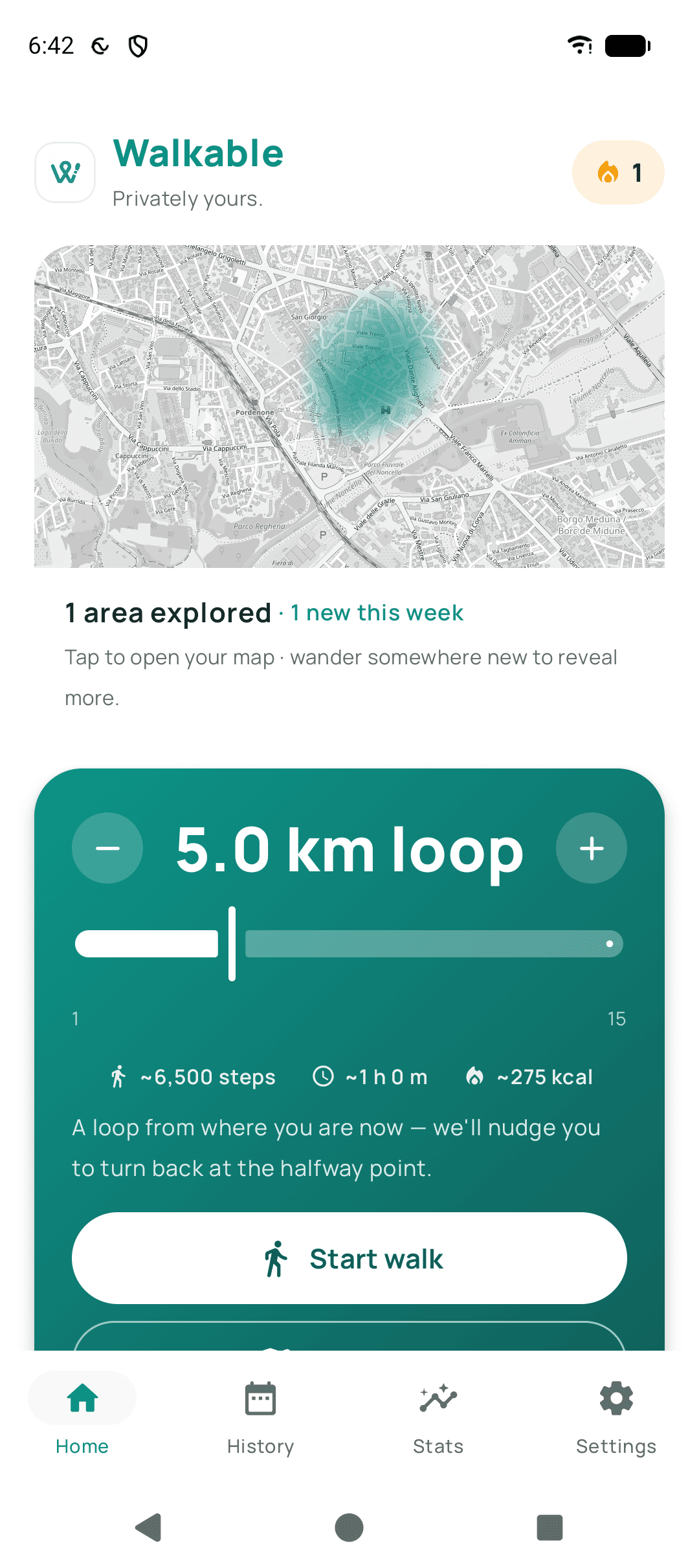
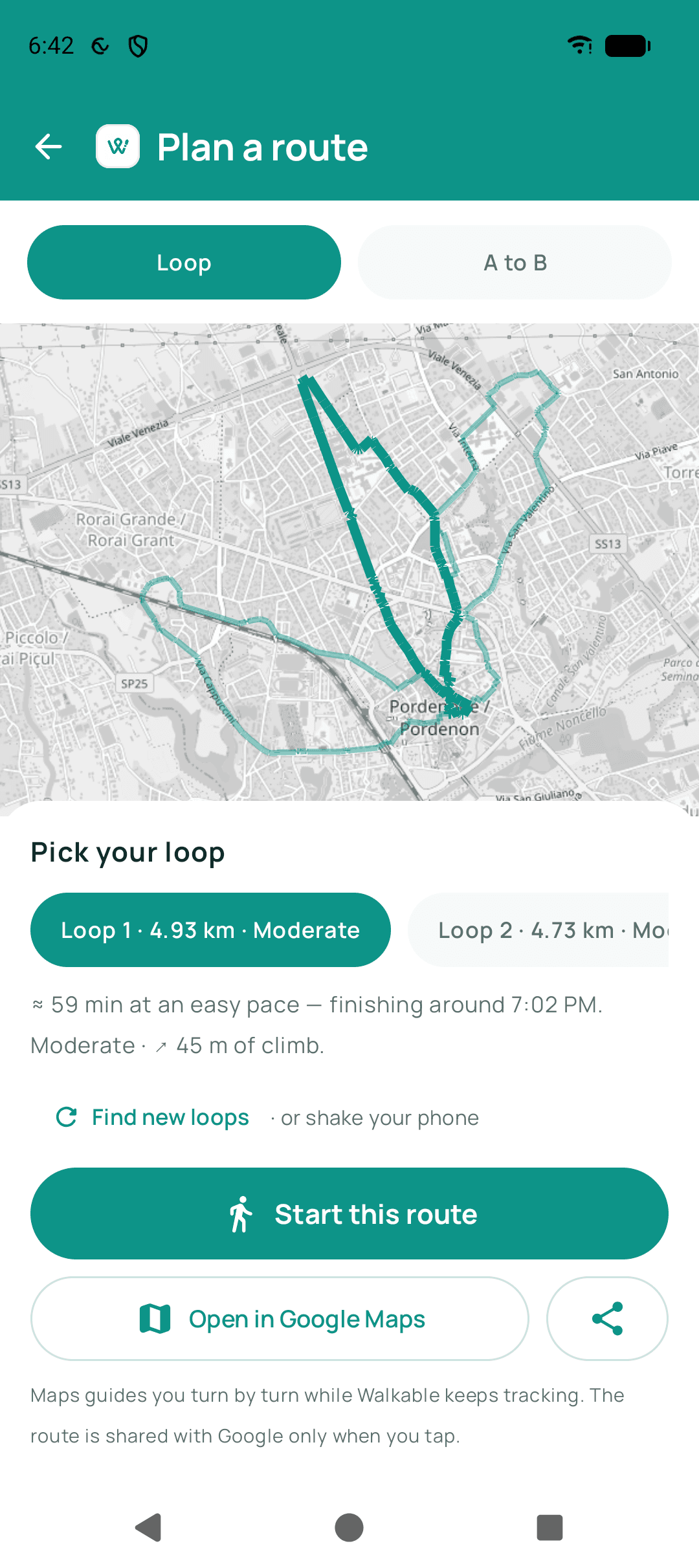
Set a distance. Walkable maps a loop from where you are.
Before you start
What Walkable needs from you
Short list, and it is the whole list.
An Android phone
Walkable is on Google Play, in early access. There is no iPhone version yet.
Location, while you walk
Asked for once, in plain words, and used to record the walk you started. Nothing is asked for before you tap.
That is it
No account, no email address, no password. Nothing to log into and nothing to cancel.
The full list of what the app does is on the features page, and the step-by-step answers to specific questions live in the guides.
Start with one walk
Pick a distance, walk the loop, and see whether you want a second one. Nothing about the first is a commitment.
Android, in early access. There is no iPhone version yet. Read the guides