Navigation and GPS
How do I follow a route while walking?
Short answer
Start the walk with a route selected and put the phone in your pocket. Walkable speaks each turn shortly before you reach it and vibrates, so you do not need to look at the screen to stay on the route.
Updated · 2 min read
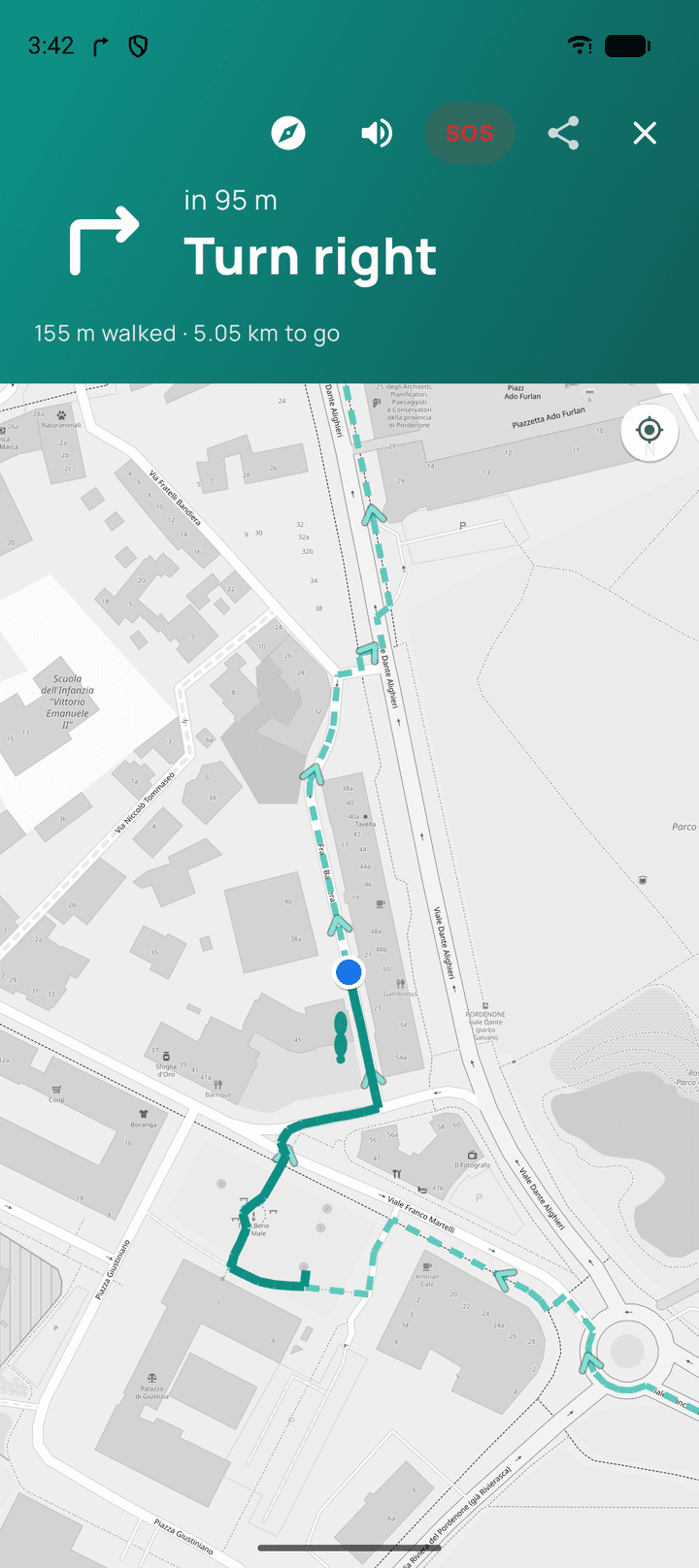
Designed for a pocket, not a hand
Walking with a phone held out in front of you is a worse walk. Guidance is spoken and felt for exactly that reason: the instruction arrives before the turn, with a vibration, and the screen can stay off the whole way.
If you do look at the screen
The map shows the route line, your position along it, and what is coming next. The distance remaining updates as you go.
Step by step
- Choose a routeA loop of a chosen length, or a route to a destination.
- Start the walkGuidance begins from where you are.
- Pocket the phoneTurns are announced and felt. Keep the volume audible or use headphones.
- WalkIf you drift off the line, Walkable finds a way back without scolding you.
What happens next?
Walkable records your actual path the entire time, whether or not you stay on the planned route. When you finish, the walk saved is the one you walked.
Common problems
I cannot hear the directions
Check the phone's media volume and that Walkable is allowed to speak. With headphones connected, audio follows them.
The instruction came too late
Usually a delayed GPS fix in a built-up area. See 'How can I improve GPS accuracy?'.
Related guides
- What happens if I leave the route?Nothing bad. Walkable finds a new way from where you are, and keeps recording throughout.
- How does automatic rerouting work?Walkable waits to be sure you have really left, then plans a fresh route from where you are.
- Why is my GPS inaccurate?Buildings, trees and cloud cover bend the signal. It is the phone's position fix, not Walkable.
Was this helpful?
Nothing is sent or recorded — this only changes what you see next.
Feedback about the guide: How do I follow a route while walking?Still stuck? Contact Walkable Support or ask the Community.