Navigation and GPS
How does automatic rerouting work?
Short answer
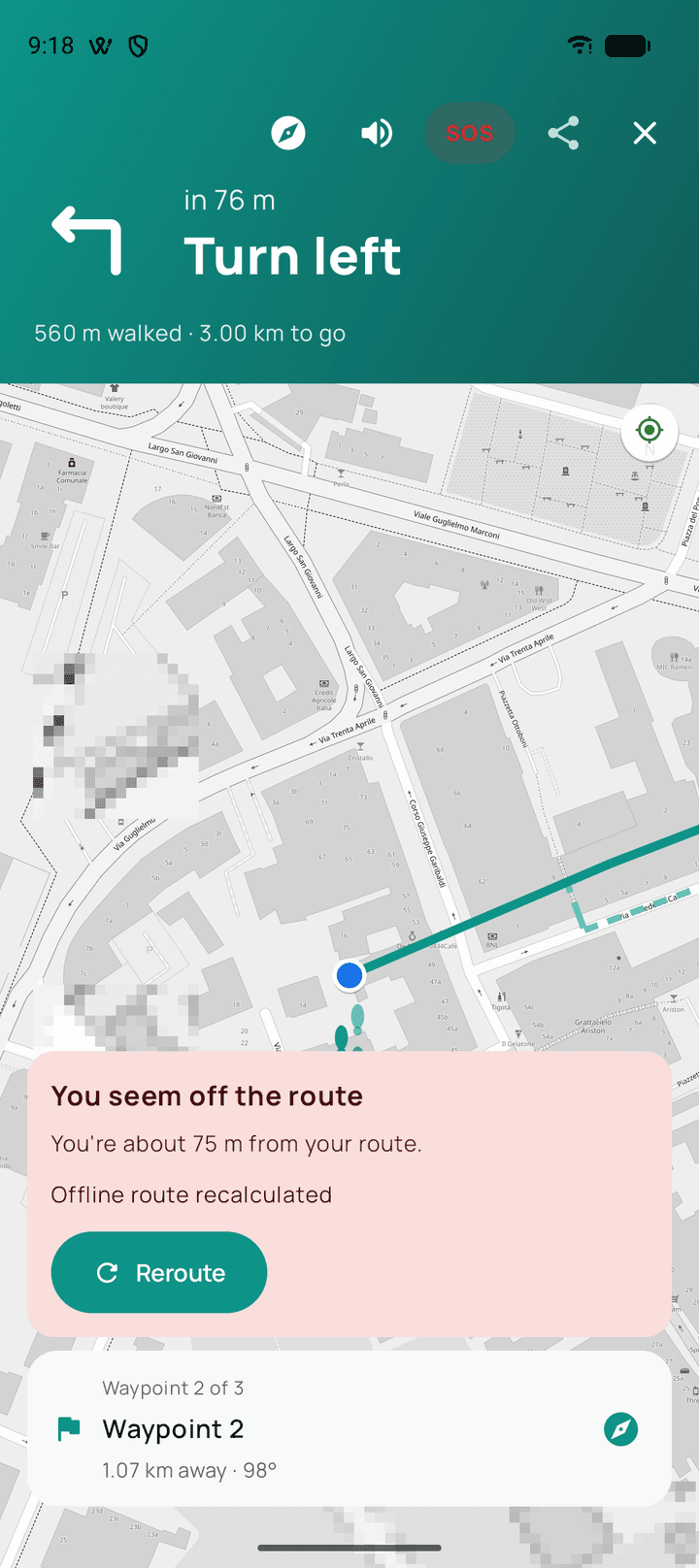
When you move far enough from the route for long enough that it is not GPS drift, Walkable plans a new route from your current position towards the same goal. In a prepared offline area this happens on the phone with no connection.
Updated · 3 min read
Why it waits a moment
GPS wobbles. If Walkable rerouted every time the position estimate wandered a few metres, it would produce a new route every twenty seconds in a city street and be useless.
So it waits until the evidence is unambiguous — a real distance from the line, sustained rather than momentary — before recalculating.
What it aims for
The same intent you started with. On a route to a destination it finds a new way there. On a loop it works out a way to complete a walk of roughly the length you asked for and bring you back.
Offline
In an area with a prepared offline map, rerouting is calculated on the phone, so it works with no signal at all. Without map data for the area, a reroute needs a connection.
Related guides
- What happens if I leave the route?Nothing bad. Walkable finds a new way from where you are, and keeps recording throughout.
- Can I use Walkable without internet?Yes. Prepare an offline map for your area first, and Walkable plans, guides and records with no signal.
- Navigation gives an unexpected instructionUsually a reroute after drifting, or map data that does not match the ground.
Was this helpful?
Nothing is sent or recorded — this only changes what you see next.
Feedback about the guide: How does automatic rerouting work?Still stuck? Contact Walkable Support or ask the Community.