Memories, history and stats
How do walking statistics work?
Short answer
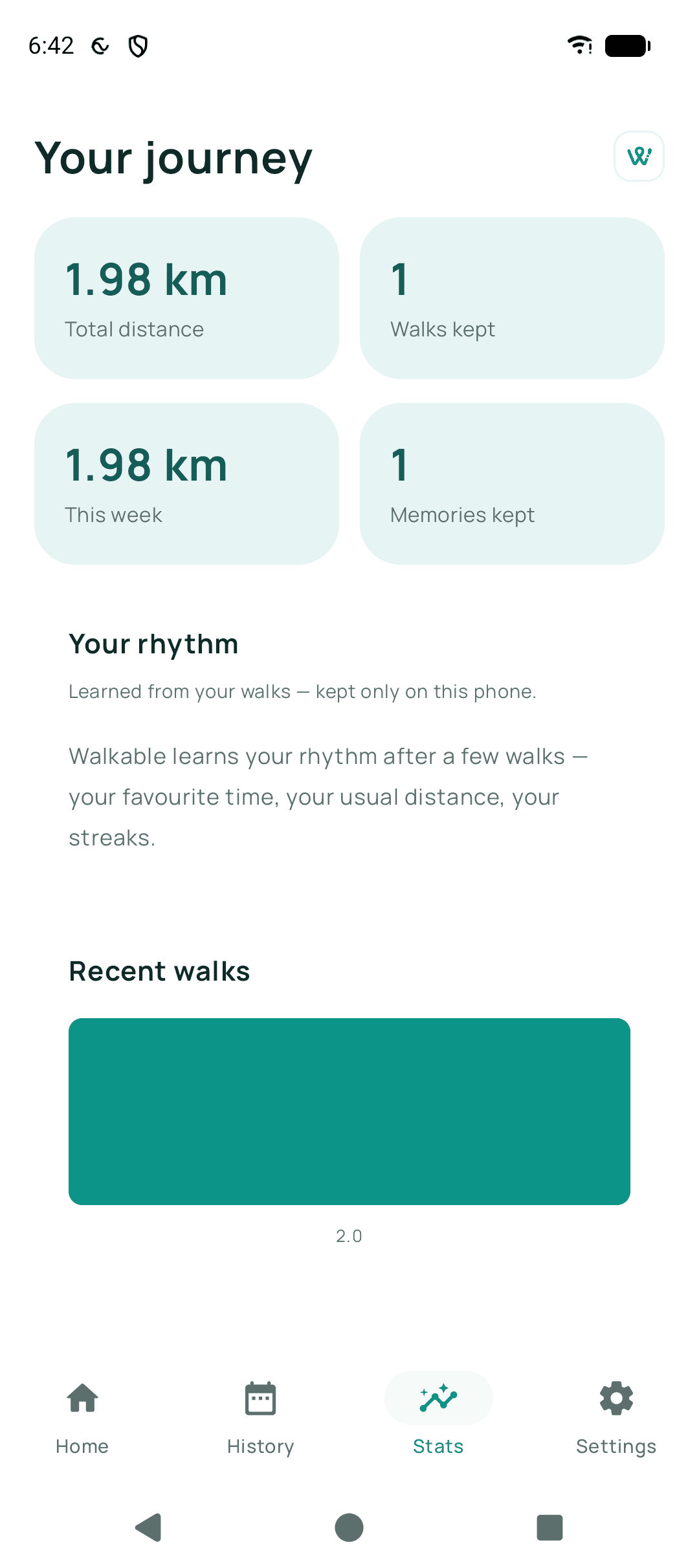
Walkable adds up your own finished walks on your own phone: distance, time, steps and how often you walk. Nothing is sent anywhere to be calculated, and nothing is ranked against other people.
Updated · 2 min read
Where the numbers come from
Distance and duration come from your recorded walks. Steps come from the phone's own step sensor, which is why a phone without one simply shows no step count rather than an estimate.
Why they may differ from another app
Different apps smooth GPS noise differently and start counting steps at different moments. A few percent of disagreement between two apps on the same phone is normal.
Related guides
- How do habits and streaks work?Walkable notices when you walk regularly and encourages it gently. Missing a day costs nothing real.
- Why is my distance different from another app?Different apps smooth GPS noise differently. Neither number is wrong; they are measuring the same wobble.
- How do I view my walking history?Open the history section to see every walk, with filters to find a particular one.
Was this helpful?
Nothing is sent or recorded — this only changes what you see next.
Feedback about the guide: How do walking statistics work?Still stuck? Contact Walkable Support or ask the Community.