Getting started
What is the difference between planning, navigating and recording a walk?
Short answer
Planning is asking Walkable for a route before you set off. Navigating is being guided along a route while you walk. Recording is Walkable remembering the path your feet actually took. They are independent — you can record without planning, and the recording is what becomes your walk.
Updated · 3 min read
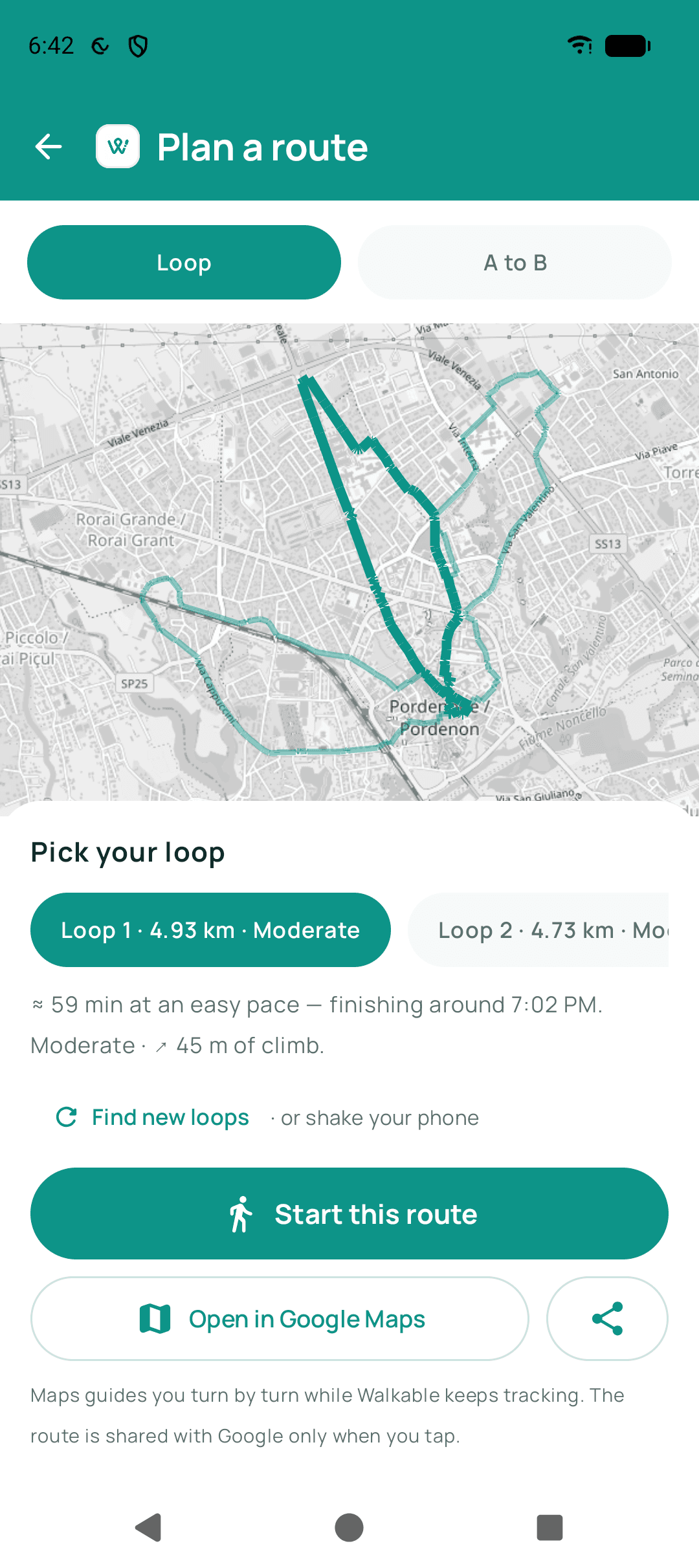
Planning
Planning happens before you move. You ask for a loop of a certain length, or a way to a destination, and Walkable draws a proposed line on the map. Nothing is recorded yet and nothing is saved — it is a suggestion you can accept or replace.
Navigating
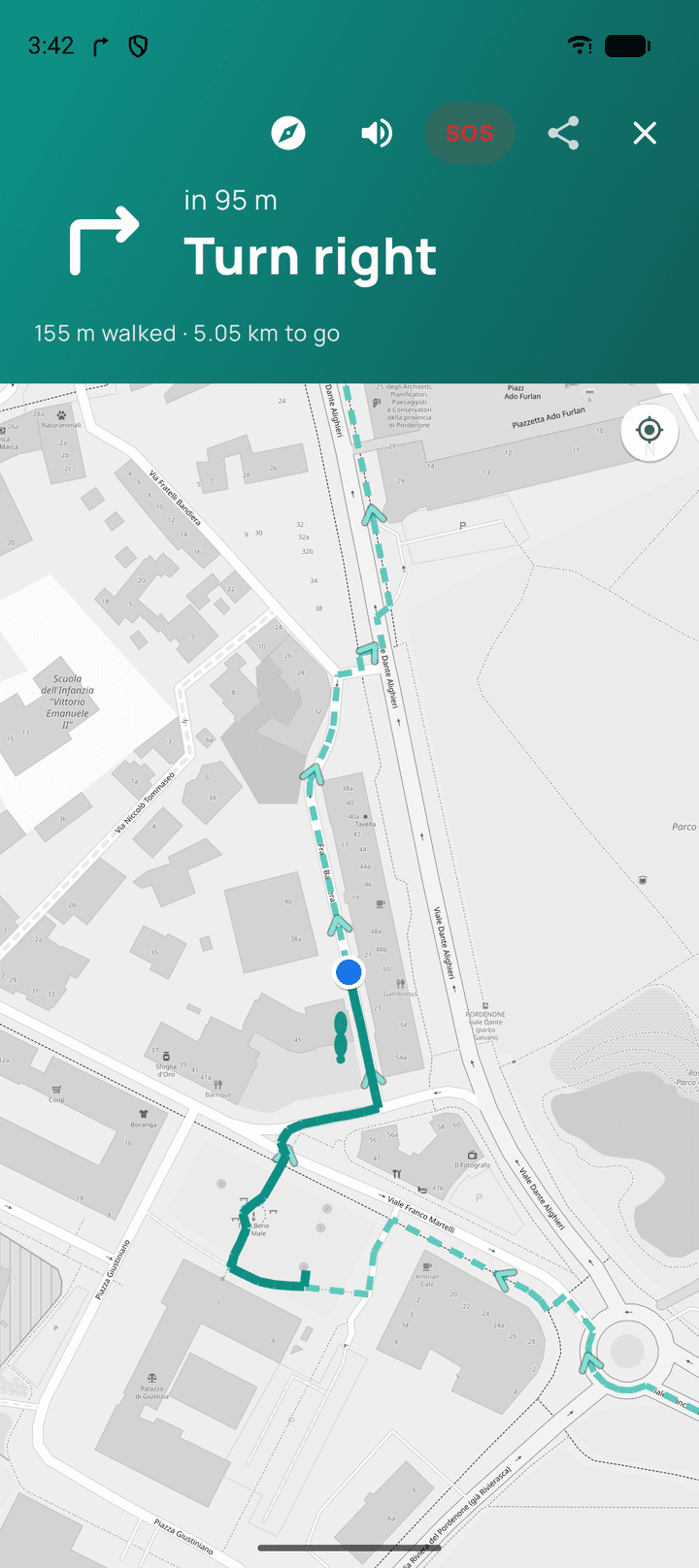
Navigating is following a planned route with help: spoken directions, a vibration before a turn, and a marker showing where you are along the line. This is the part that needs a route to exist first.
If you leave the route, navigation works out a new way rather than insisting you go back.
Recording
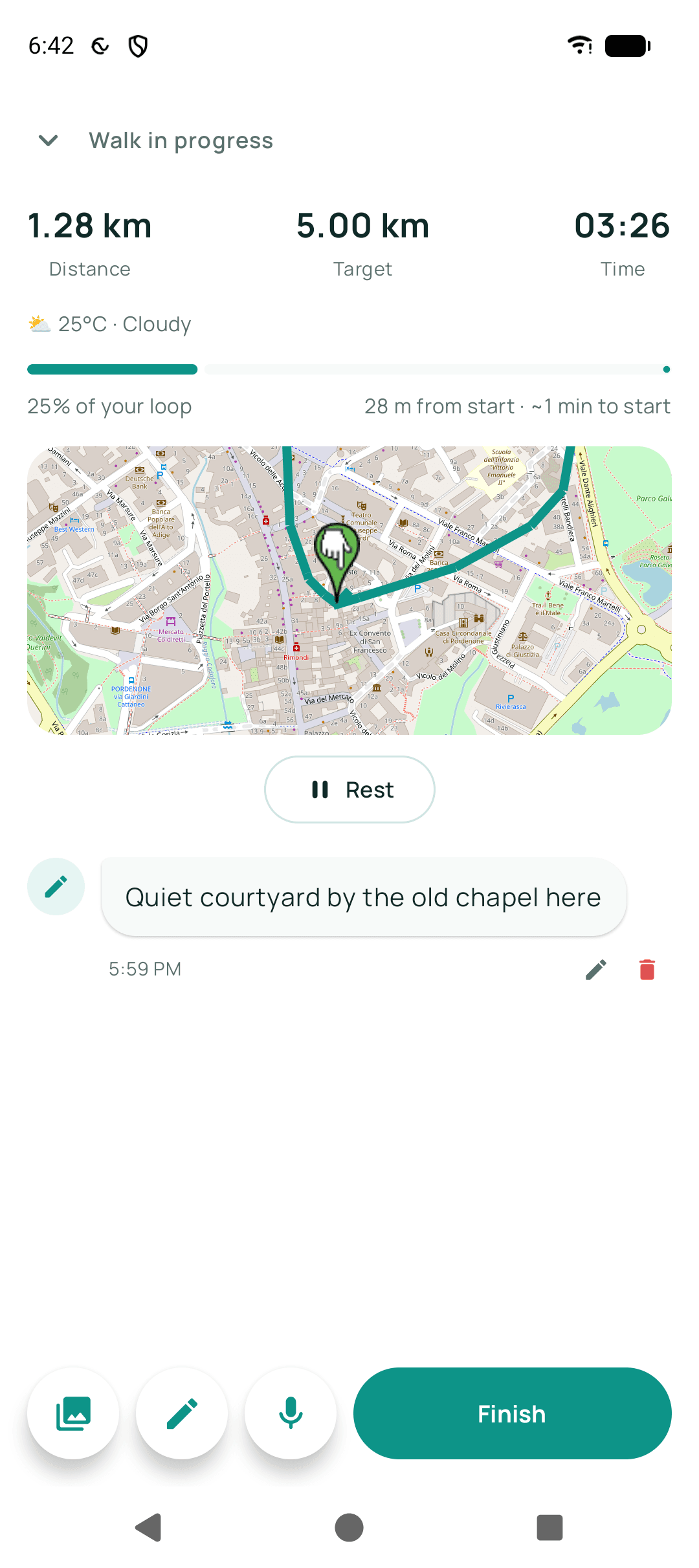
Recording is independent of both. From the moment you press start, Walkable notes where you go and builds the path of the walk. This is what gets saved to your history, and it is the real walk — the planned route was only ever a suggestion.
This distinction matters when the two differ. If you planned a three-kilometre loop and wandered off for an extra kilometre, your history shows four kilometres, because that is what you walked.
Related guides
- How do I choose a route?Ask for a loop of roughly the distance you want, or set a destination and let Walkable find the way.
- How do I follow a route while walking?Start the walk and put the phone away — Walkable speaks and vibrates at turns.
- Why is my distance different from another app?Different apps smooth GPS noise differently. Neither number is wrong; they are measuring the same wobble.
Was this helpful?
Nothing is sent or recorded — this only changes what you see next.
Feedback about the guide: What is the difference between planning, navigating and recording a walk?Still stuck? Contact Walkable Support or ask the Community.