Getting started
How do I choose a route?
Short answer
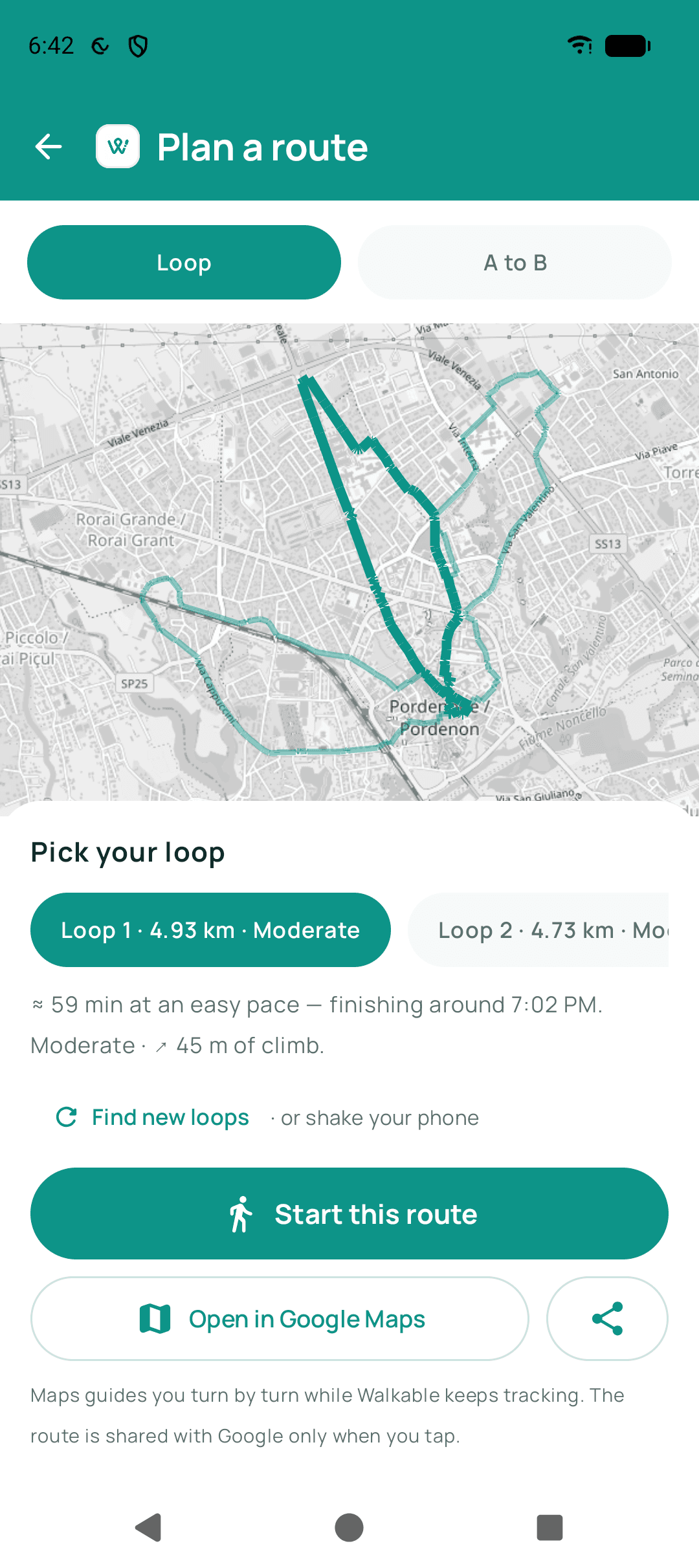
Tell Walkable roughly how far you feel like walking and it will suggest a loop that starts and ends where you are. If you have somewhere specific in mind, set that as a destination instead and it will find a walking route to it.
Updated · 3 min read
Loops versus destinations
A loop is for when the walk is the point: you want forty minutes outside and to end up back home. Walkable builds a circuit of roughly that length using walkable paths near you.
A destination route is for when the arriving is the point. It finds a sensible walking way there, preferring paths and quieter streets over the fastest line.
Why the distance is approximate
Streets and paths come in the lengths they come in. A loop that is exactly three kilometres usually does not exist, so Walkable finds one close to it rather than inventing a detour to pad the number.
Step by step
- Open the planning screenFrom the home screen, choose to plan a walk.
- Say how farPick a distance. Walkable treats this as a target to aim near, not a number to hit exactly.
- Or choose a destinationIf you know where you are going, set that instead and Walkable routes you there on foot.
- Look at what it suggestsYou will see the route drawn on the map with its distance. Ask for another if it does not appeal.
- Start when you like itGuidance begins from your current position.
What happens next?
Walkable guides you along the route with spoken directions and vibration at turns. If you wander off it, it works out a way back rather than telling you to turn around.
Common problems
No route is offered at all
Walkable needs either an internet connection or a prepared offline map for your area. See 'Why can't Walkable create a route in my area?'.
Related guides
- Why can't Walkable create a route in my area?Either there is no connection and no prepared offline map, or the area has too few mapped paths.
- What is the difference between planning, navigating and recording a walk?Planning finds a route, navigating guides you along one, recording remembers where you actually went.
- How do I follow a route while walking?Start the walk and put the phone away — Walkable speaks and vibrates at turns.
- How do I plan a better walk close to home?Start from how long you want to be out, let a loop be generated, and aim it somewhere unfamiliar.
Was this helpful?
Nothing is sent or recorded — this only changes what you see next.
Feedback about the guide: How do I choose a route?Still stuck? Contact Walkable Support or ask the Community.