Planning and recording walks
How do I plan a better walk close to home?
Short answer
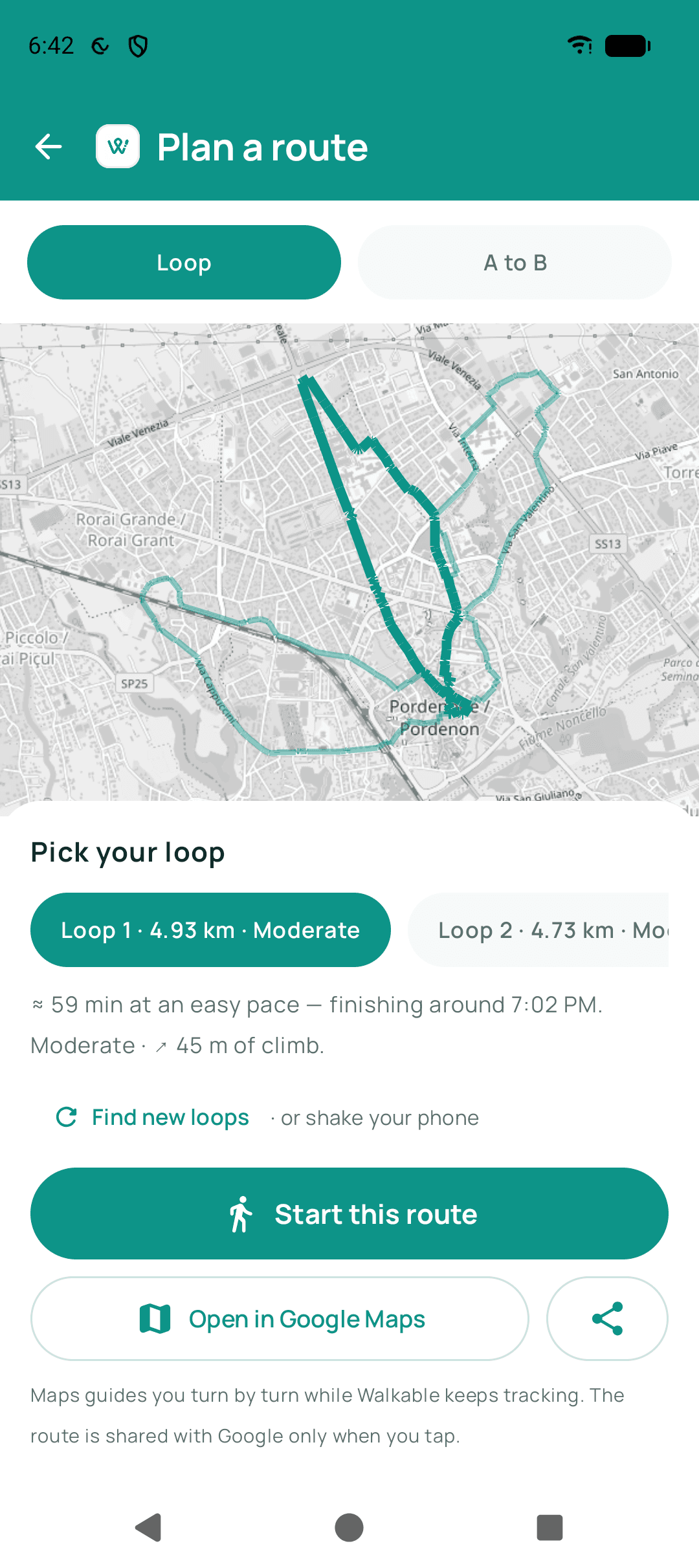
Decide how long you want to be out rather than where you want to end up, and ask Walkable for a loop of roughly that length. Point it in a direction you have not walked lately, and treat the line it draws as a suggestion — leaving it is allowed, and the walk records either way.
Updated · 4 min read
Choose a distance, not a destination
Most walks near home fail before they start, at the moment you try to think of somewhere to go. There often is not anywhere in particular, and the search for a reason becomes a reason not to leave.
A distance sidesteps that entirely. Forty minutes is a decision you can make in a second, and Walkable turns it into a loop that starts and ends at your door. The walk stops needing a purpose beyond being a walk.
The number is a target to aim near, not to hit. Streets come in the lengths they come in, so a request for five kilometres usually returns something close to it rather than exactly it.
Let the loop be generated
You do not need to know which footpath connects to which. Walkable builds the circuit out of real walking infrastructure — footpaths, pavements, marked crossings, park paths and quieter streets — which is usually a better set of choices than the roads you already picture.
If the first suggestion does not appeal, ask for another. A route you are not looking forward to is not worth walking out of politeness to an algorithm.
Point it somewhere you have not been
Walking near home tends to collapse into the same three streets. The cheapest way out of that is to face a different direction before asking for a loop — the generator starts from where you are and where you are heading, so a different starting direction produces a genuinely different walk.
Your history is useful here. Looking back at the walks you already have makes the unvisited side of the neighbourhood obvious in a way that thinking about it does not.
Let yourself change your mind
The planned route is a suggestion; the recording is the record. If something looks more interesting down a side street, take it. Walkable works out a way onward rather than telling you to turn around, and your saved walk is the path you actually took.
This is worth saying plainly because a drawn line on a screen is quietly authoritative, and people follow one past the thing they wanted to look at.
Keep the reason it was good
A photo, a voice note or one line of text, added while you are standing there, is what makes a walk findable later as a place rather than a number. Six months on, the distance tells you nothing and the picture of the light through the trees tells you everything.
This is the part people skip and then wish they had not. It takes about ten seconds and it stays on your phone with the walk.
Step by step
- Decide how long you want to be outTime or distance, whichever you think in. Either is easier to answer than 'where'.
- Face a direction you have not walked latelyThe loop is built from where you are standing, so this genuinely changes what you get.
- Ask for a loop, and ask again if you do not like itThere is no cost to rejecting a suggestion, and no obligation to walk one you find dull.
- Start, and put the phone awayGuidance speaks and vibrates at turns, so nothing needs your attention while you walk.
- Stop for the thing you noticedAdd a photo, a voice note or a line of text to the walk while you are in front of it.
What happens next?
The walk is saved to your phone with the path you actually took, along with anything you attached to it. It is there to look back at whenever you want a reminder of where a good hour went.
Common problems
Every suggested loop uses the same streets
Ask from a different starting direction, or change the distance. A shorter or longer target has fewer or more ways to be assembled and usually breaks the pattern.
No loop can be built where I am
Route planning needs map data — either a connection or a prepared offline region — and enough mapped paths. Recording a walk with no route works regardless.
Related guides
- How do I choose a route?Ask for a loop of roughly the distance you want, or set a destination and let Walkable find the way.
- How does Walkable decide how long a suggested route is?You give it a target distance; it finds a real loop close to that on actual paths.
- What is the difference between planning, navigating and recording a walk?Planning finds a route, navigating guides you along one, recording remembers where you actually went.
- How do I add a photo, video, note or voice memory?From the walk screen while you are out, or from the walk afterwards in your history.
Was this helpful?
Nothing is sent or recorded — this only changes what you see next.
Feedback about the guide: How do I plan a better walk close to home?Still stuck? Contact Walkable Support or ask the Community.