Walking without internet
Why can't Walkable create a route in my area?
Short answer
Usually one of two things. Either Walkable has no map data for that area — no connection and no prepared offline region — or the area genuinely has very few mapped walking paths, so there is nothing to build a route from.
Updated · 3 min read
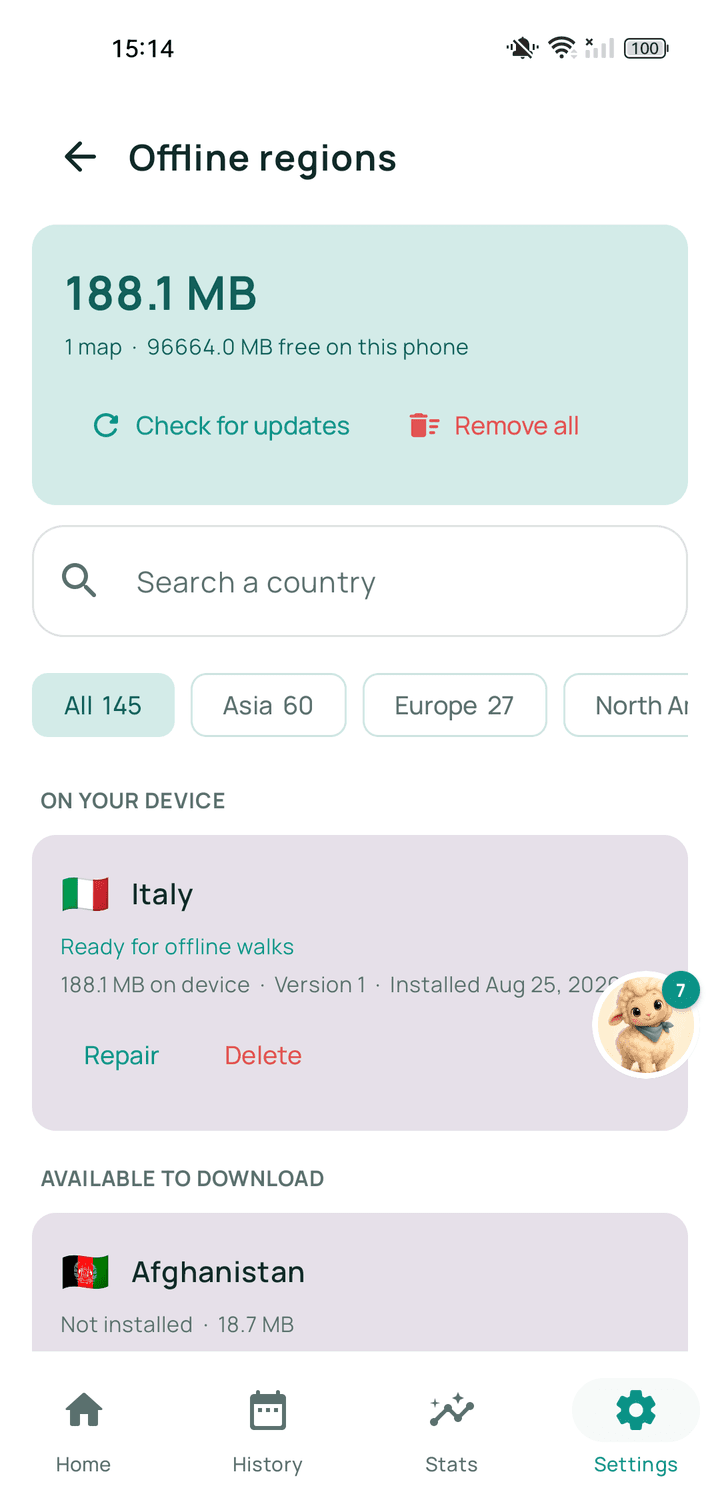
The common cause: no map data
Route planning needs a network of paths to work with. If there is no connection and no offline region prepared for where you are, there is nothing on the phone to plan from and Walkable says so rather than inventing a line.
The other cause: the area is thinly mapped
Walkable routes over mapped walking infrastructure — pavements, footpaths, crossings, tracks. In places where those have not been mapped, a route cannot be assembled honestly, even with a connection.
This is more common in rural areas and in places where mapping is still sparse. It is a limit of the underlying map data rather than of the app.
What you can do
Record instead of planning. A walk with no route still tracks perfectly, and this is what most people do anyway.
Ask for a shorter distance. Long loops need more connected paths than short ones.
Report the area through Walkable Support so it can be looked at.
Related guides
- What are offline regions?Downloadable packages of map and path data that let Walkable work with no signal.
- How do I report a map problem?Tell Walkable Support what and where — a missing path, a wrong route, a closed way.
- How do I choose a route?Ask for a loop of roughly the distance you want, or set a destination and let Walkable find the way.
Was this helpful?
Nothing is sent or recorded — this only changes what you see next.
Feedback about the guide: Why can't Walkable create a route in my area?Still stuck? Contact Walkable Support or ask the Community.