Walking without internet
What are offline regions?
Short answer
An offline region is a package of map and walking-path data for a geographic area. Downloading one puts everything Walkable needs for that area onto your phone, so maps draw and routes are planned without any connection.
Updated · 3 min read
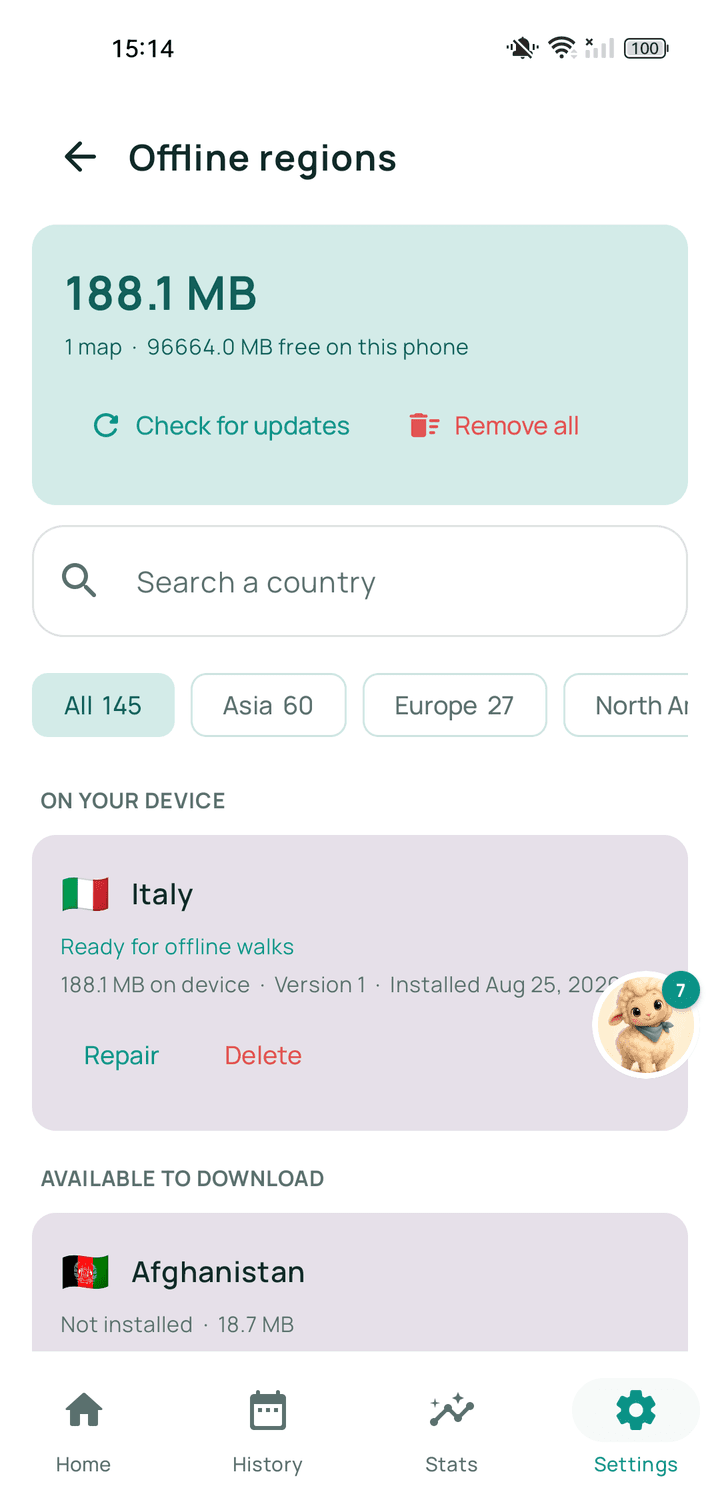
What is inside one
Two things: the map you look at, and the network of paths, pavements and crossings that route planning uses to work out a way through. The second is the part that makes offline routing possible rather than just offline map viewing.
Why they are areas, not cities
Walking does not respect city boundaries, and a region that stopped at the edge of a town would fail exactly when somebody walked out of it. Regions cover broader areas so a walk that leaves town still has a map under it.
The size is the trade-off. A region is a substantial download, which is why it is worth doing on wifi.
Coverage is honest, not universal
Offline regions do not yet cover everywhere in the world. If there is no region for where you are going, Walkable still records walks perfectly, but the map and route planning will need a connection there.
Related guides
- How do I download or prepare an offline region?From Walkable's offline maps screen, on wifi, and let it finish before you leave.
- Why can't Walkable create a route in my area?Either there is no connection and no prepared offline map, or the area has too few mapped paths.
- Can I use Walkable without internet?Yes. Prepare an offline map for your area first, and Walkable plans, guides and records with no signal.
Was this helpful?
Nothing is sent or recorded — this only changes what you see next.
Feedback about the guide: What are offline regions?Still stuck? Contact Walkable Support or ask the Community.