Sharing and community
How do I share a walk?
Short answer
Open a finished walk and choose to share it. Walkable makes a picture of that walk — its shape and whichever details you left switched on — and hands it to whatever app you want to send it with. The preview is exactly what gets shared.
Updated · 2 min read
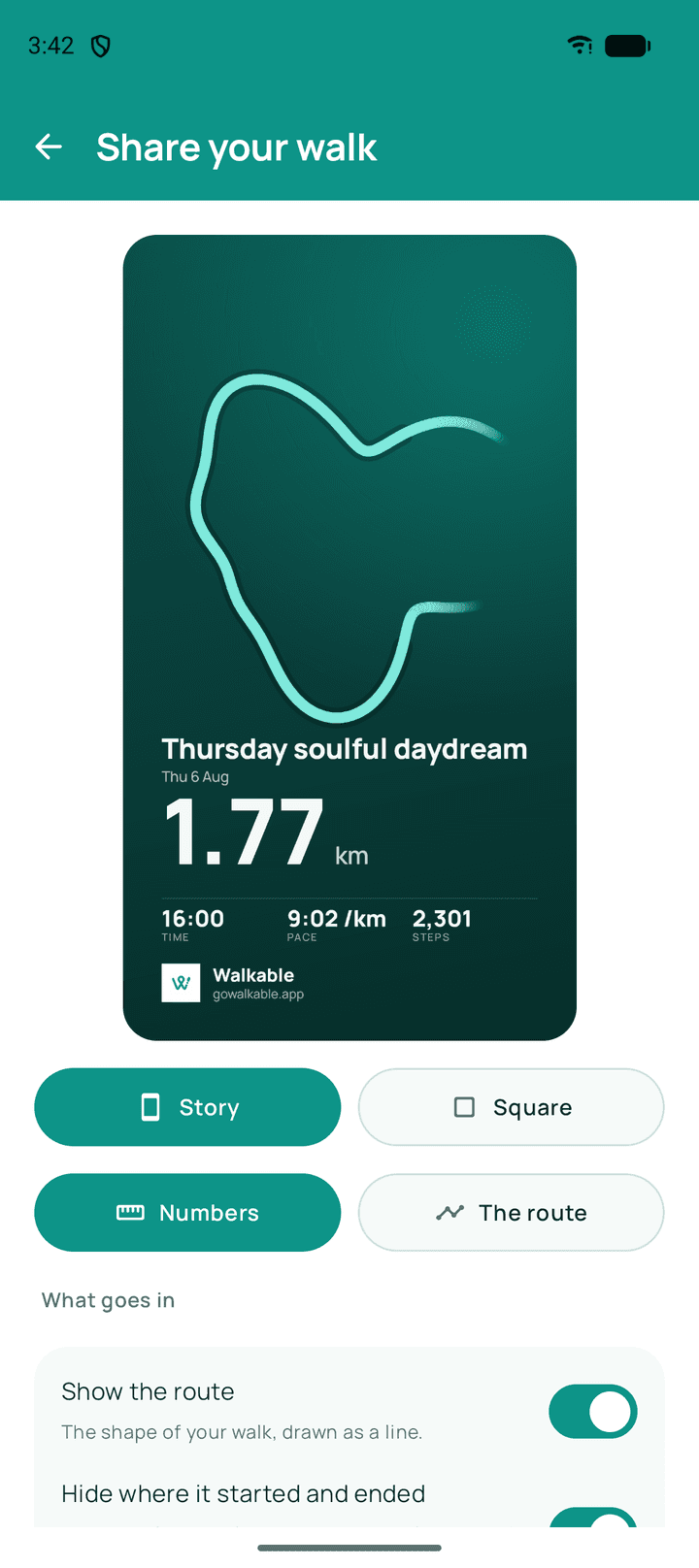
Step by step
- Open the walkFrom your history, or straight after finishing.
- Choose shareWalkable builds the image.
- Decide what it showsSwitch off any detail you would rather not include.
- Send itThrough messages, mail or anything else on your phone.
What happens next?
The recipient gets an image. Nothing about your other walks, your totals or your identity travels with it.
Related guides
- What information is included in a shared walk?The walk's shape and the details you left on. Never your history or your identity.
- How do I share a route privately?Hand it over with a code that lives for seconds and can be claimed once.
- How do I control what I share?Switch details off before sharing, and end a live share whenever you like.
Was this helpful?
Nothing is sent or recorded — this only changes what you see next.
Feedback about the guide: How do I share a walk?Still stuck? Contact Walkable Support or ask the Community.