Getting started
How do I start my first walk?
Short answer
Open Walkable, allow it to see your location while you use it, and start. You can ask for a route of roughly the distance you feel like, or skip that entirely and simply begin recording where you go.
Updated · 3 min read
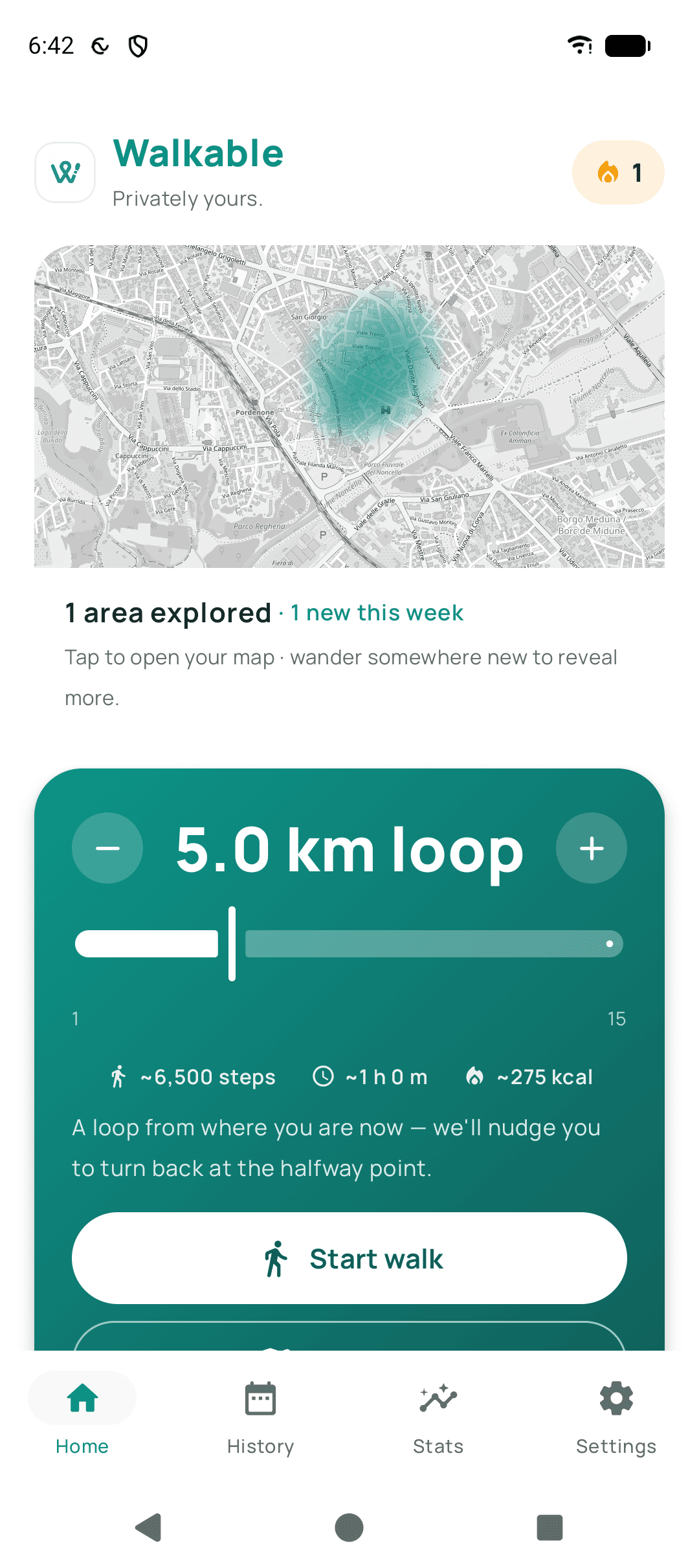
You do not have to plan anything
The most common way to use Walkable is the simplest: press start, walk wherever you like, press finish. A route is an option, not a requirement.
Give the GPS a moment
A phone's first position fix outdoors can take twenty or thirty seconds, longer if you have just come out of a building. Starting a walk before the fix settles is the usual reason a route appears to begin a street away from where you actually were.
Step by step
- Open Walkable and allow locationChoose 'While using the app'. That is all Walkable needs: it follows you only while a walk is actually running. Background location is asked for in one place only, and never here — if you later switch on Auto Walk Detection, which is off by default.
- Decide whether you want a routeIf you want somewhere to go, ask for a route and say roughly how far you feel like walking. If you already know where you are heading, skip this.
- Press startThe walk begins recording from where you are standing.
- Put the phone awayWalkable keeps tracking with the screen off. If you asked for a route, it will speak and vibrate at turns, so the phone can stay in a pocket.
- Finish when you are donePress finish. The walk is saved to your phone immediately, with its distance and time.
What happens next?
Your walk appears in your history straight away, with its path, distance, duration and step count. You can add photos, videos or notes to it during the walk or afterwards, and nothing about it leaves your phone unless you choose to share it.
Common problems
The walk started in the wrong place
The first GPS fix had not settled. Stand outside for half a minute before pressing start, with a clear view of the sky.
Nothing is being recorded
Check that location permission is granted and set to at least 'While using the app', and that battery optimisation is not restricting Walkable.
Related guides
- How do I choose a route?Ask for a loop of roughly the distance you want, or set a destination and let Walkable find the way.
- What is the difference between planning, navigating and recording a walk?Planning finds a route, navigating guides you along one, recording remembers where you actually went.
- Walkable cannot find my locationCheck the location permission, then give the GPS half a minute outdoors.
Was this helpful?
Nothing is sent or recorded — this only changes what you see next.
Feedback about the guide: How do I start my first walk?Still stuck? Contact Walkable Support or ask the Community.