Troubleshooting
Walkable is not working offline
Short answer
Offline maps and routing need a prepared region for that specific area. If the map is grey or no route can be planned with no signal, the region covering where you are was never downloaded, or the download did not finish.
Updated · 2 min read
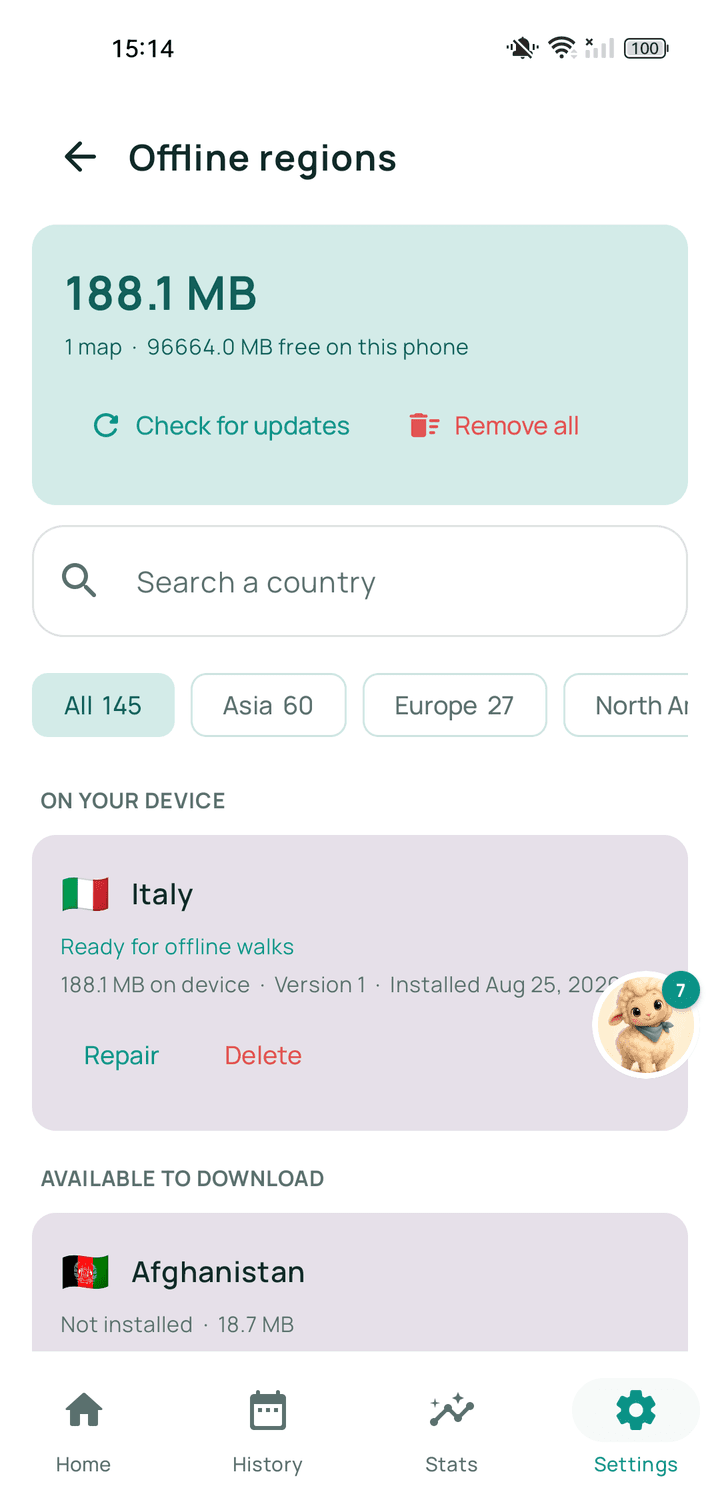
Step by step
- Check which regions you haveWalkable's offline maps screen lists them.
- Confirm the area is coveredRegions are areas — check the one you have includes where you are.
- Re-download if it looks incompleteA partial download is not usable and will not be used.
- Test in aeroplane modeAsk for a short route. If one appears, the region is working.
Related guides
- How do I download or prepare an offline region?From Walkable's offline maps screen, on wifi, and let it finish before you leave.
- The map is grey or not loadingNo connection and no offline map for that area. Your walk is still recording.
- What are offline regions?Downloadable packages of map and path data that let Walkable work with no signal.
Was this helpful?
Nothing is sent or recorded — this only changes what you see next.
Feedback about the guide: Walkable is not working offlineStill stuck? Contact Walkable Support or ask the Community.