Privacy and your data
What do I give up by not having an account?
Short answer
Three real things. Your walks do not sync between devices. A lost, stolen or wiped phone takes your history with it unless you set up backup first. And nobody at Walkable can recover anything for you, because we hold nothing to recover from. What you get back is that there is no profile of you anywhere, nothing to breach and nothing to sell.
Updated · 4 min read
What the absence buys
There is no Walkable user database. No row with your email in it, no password hash, nothing to appear in somebody else's breach list years from now, and no admin screen where a person at Walkable could look up where you have walked.
There is also nothing social attached to you. No profile, no followers, no feed, and nobody being told how far you went. Walking is not a performance here because there is nowhere for it to be performed.
And there is nothing to forget. No password, no sign-in, no verification email, no locked-out-of-my-own-walks. The app works the moment it is installed and keeps working.
What it costs, item by item
Your walks do not appear on a second device. There is no server holding them, so there is nothing for another phone to fetch. A walk recorded on one phone lives on that phone.
If the phone is lost, stolen, wiped or simply dies, the walking history on it is gone. Android's own automatic cloud backup and its device-to-device transfer are both deliberately switched off for Walkable, so the usual 'copy from your old phone' step will not carry your walks across either.
We cannot help you afterwards. Not out of policy, and not because a support request went to the wrong place — we genuinely have nothing. There is no record connecting a walk to a person, so there is nothing to look up, restore, or send you a copy of.
Where encrypted backup answers part of it
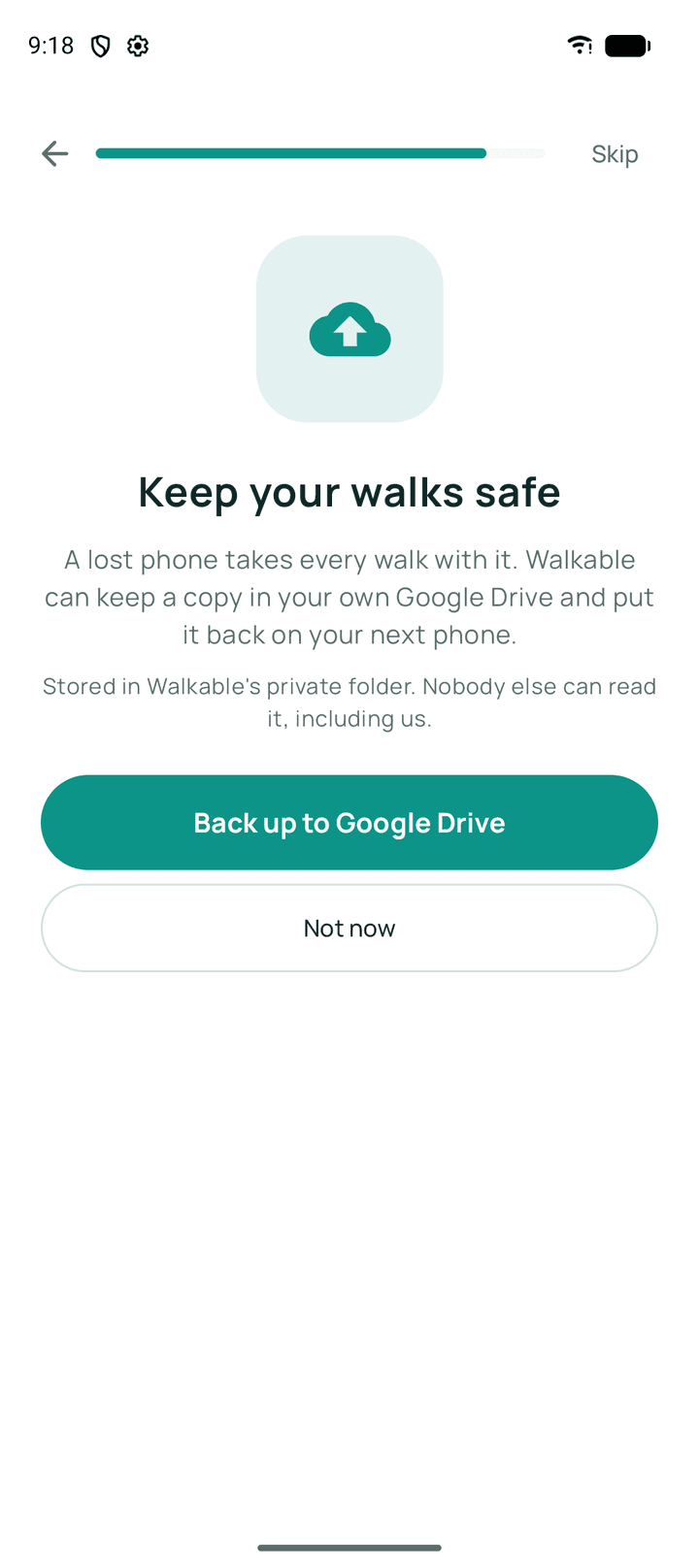
Backup to your own Google Drive is the one thing that changes the second cost. You connect your Drive, Walkable locks your walks on the phone, and the sealed file goes to a private folder of your Drive that only Walkable can reach. Google stores something it cannot open, and Walkable still stores nothing at all.
On a new phone you connect the same Google account, choose Restore, and enter your recovery key — the one Walkable showed you once at setup. That is what makes the backup readable again.
The recovery key has its own cost, and it is not a footnote. Walkable never stores or transmits it, so if you lose it, the backup can never be opened — not by you, not by us, not by Google. That is the same fact as 'nobody else can read your backup', said in the direction that costs something. Save it somewhere you will still have it in three years.
Why we cannot quietly fix this
An app that could restore your walking history for you is an app that holds your walking history. A company that could reset your key is a company that has your key. The convenience and the promise are the same mechanism seen from two sides, and you cannot have one without giving up the other.
So the trade is stated rather than hidden, and backup is offered so that the part which can be answered honestly is answered.
Common problems
I moved to a new phone and my walks are not there
Walks do not travel by themselves. If backup was set up on the old phone, connect the same Google account on the new one and restore with your recovery key.
I want to use Walkable on my phone and my tablet
Each device keeps its own walks. There is no sync, and a restored backup is a copy at a moment in time rather than a live shared history.
Related guides
- Why does Walkable not require an account?Because the only way to guarantee data is not misused is not to hold it.
- How do I back up my walks?Connect your Google Drive and set up encrypted backup. Keep the recovery key — it is the only way back in.
- How do I restore my walks on a new phone?If you have an existing Drive backup, connect the same Google account and restore from it.
- Where are my walks stored?In Walkable's private storage on your phone. There is no server copy.
Was this helpful?
Nothing is sent or recorded — this only changes what you see next.
Feedback about the guide: What do I give up by not having an account?Still stuck? Contact Walkable Support or ask the Community.