Walking without internet
What changes when the connection drops mid-walk?
Short answer
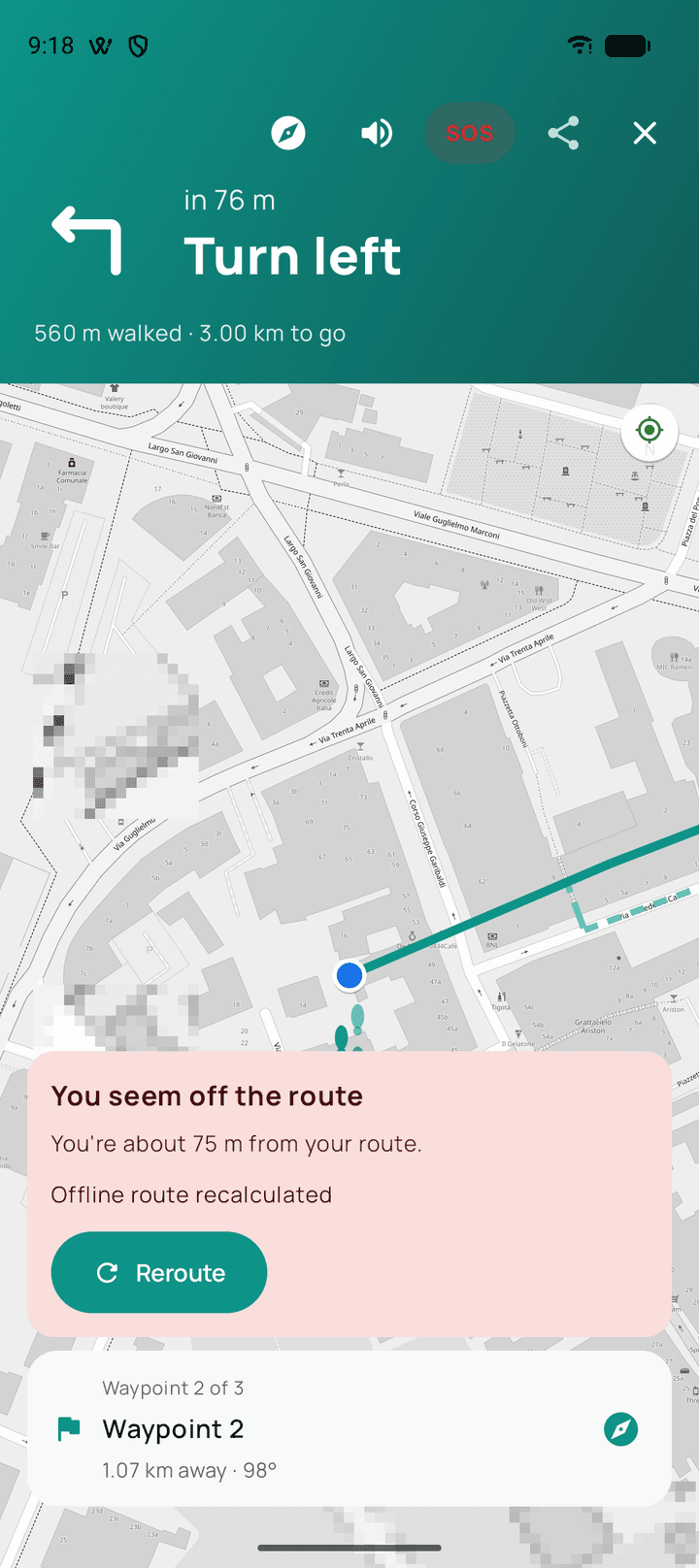
The recording does not notice at all — it never used the connection. If you prepared an offline map for that area, the map, the spoken guidance and rerouting carry on as well. What stops is anything that has to fetch something new: looking up a place you have not been, refreshing weather, following your live share, and downloading a map region you did not download before you left.
Updated · 4 min read
The recording is unaffected, always
Position comes from satellites and the walk is written to your phone as it happens. Neither of those involves a network, so a connection dropping mid-walk changes nothing about the path being recorded or the walk being saved at the end.
This is worth knowing in the moment, because the visible symptom of a lost connection — the map going flat and grey underneath you — looks exactly like something breaking. It is the map tiles failing to arrive, and it is unrelated to the recording.
Guidance keeps speaking
The route and its list of turns are already on the phone by the time you are walking them. Spoken directions and the vibration before a turn come from that list, so they continue whether or not there is a connection.
Rerouting is the part that depends on preparation. Working out a new way needs map data to work from: in an area with a prepared offline region that calculation happens on the phone and you will not notice the difference. In an area with no prepared region, a new route cannot be worked out until you are back in coverage — the route already on screen stays visible, and you can walk back to it or simply keep recording without one.
What waits for the signal to come back
Searching for a place by name. Deciding mid-walk to head somewhere you have not been is the common case, and it is the one that needs a lookup rather than something already on the phone.
Weather, which Walkable fetches once at the start of a walk. Losing the connection later does not remove what it already showed you; it simply will not change.
A live share you started. The person holding the link stops receiving updates and picks you up again when signal returns. Your own recording is untouched throughout.
Downloading a map region. A region has to be fetched, so it cannot be fetched from a place with nothing to fetch it over. This is the one thing that genuinely cannot be rescued from where you are standing.
When you are back in coverage
Nothing needs repairing. The walk in your history is the whole walk, including the stretch with no connection, and the map fills back in under it when you next look.
What happens next?
Finish the walk as you normally would. It saves with its full path, distance and duration, and anything you attached along the way is already on the phone with it.
Common problems
It cannot work out a new route after I left the line
Rerouting needs map data. Prepare an offline region for that area beforehand, or walk back to the line you can still see on screen.
The weather has not changed for an hour
Weather is fetched once, at the start of a walk. Without a connection there is nothing to refresh it with.
Searching for a place returns nothing
A search by name needs a connection. Pick a direction on the map instead, or record without a route until you are back in coverage.
Related guides
- Will my walk be saved if I lose internet during a walk?Yes. Recording never uses the internet, so losing signal changes nothing about it.
- What works offline?Recording always. Maps, route planning and guidance too, in a prepared area.
- How do I prepare Walkable before travelling?Download the offline map for where you are going, on wifi, before you leave.
- How does automatic rerouting work?Walkable waits to be sure you have really left, then plans a fresh route from where you are.
Was this helpful?
Nothing is sent or recorded — this only changes what you see next.
Feedback about the guide: What changes when the connection drops mid-walk?Still stuck? Contact Walkable Support or ask the Community.